Training management

Streamline your front and back of house hospitality training 

Combine your staff training, qualifications, certifications and policies together in Safe Food Pro, your food safety app. The Training Management Module reduces the admin load by showing exactly who is trained for every role, giving you confidence that every team member, from full-timers to casuals, is trained and qualified to complete the job.
Book a demo
Trusted by 1,200+ companies and used on 300,000+ projects globally.

Centralised staff training, built for hospitality

What does the training management module do?

Safe Food Pro's Training Management Module takes the guesswork out of staff compliance by bringing training requirements, proof and progress into one place. Set custom requirements for each job role, automate renewal reminders, and let your team complete training from the mobile app at a time that works for them. Casual staff, part-time and full-time employees can meet their training requirements without a login. With live Work Ready scores and exports ready in seconds, you reduce paperwork, spend less time on admin and know everyone on the roster is cleared for their shift.

Key Features

Training requirements and activities

Tailored training requirements for every role

Turn onboarding into clear training requirements for each job role, user group, casual staff member or individual. Each requirement can hold up to 30 activities, such as online quizzes, in-person sessions or external courses, or be met by a valid certificate someone already holds. When requirements change, they follow your team automatically, and you can give existing staff a grace period or exemption so new rules roll out without disruption.

Learn more about training
Training matrix and register

Live food training visibility and Work Ready scores

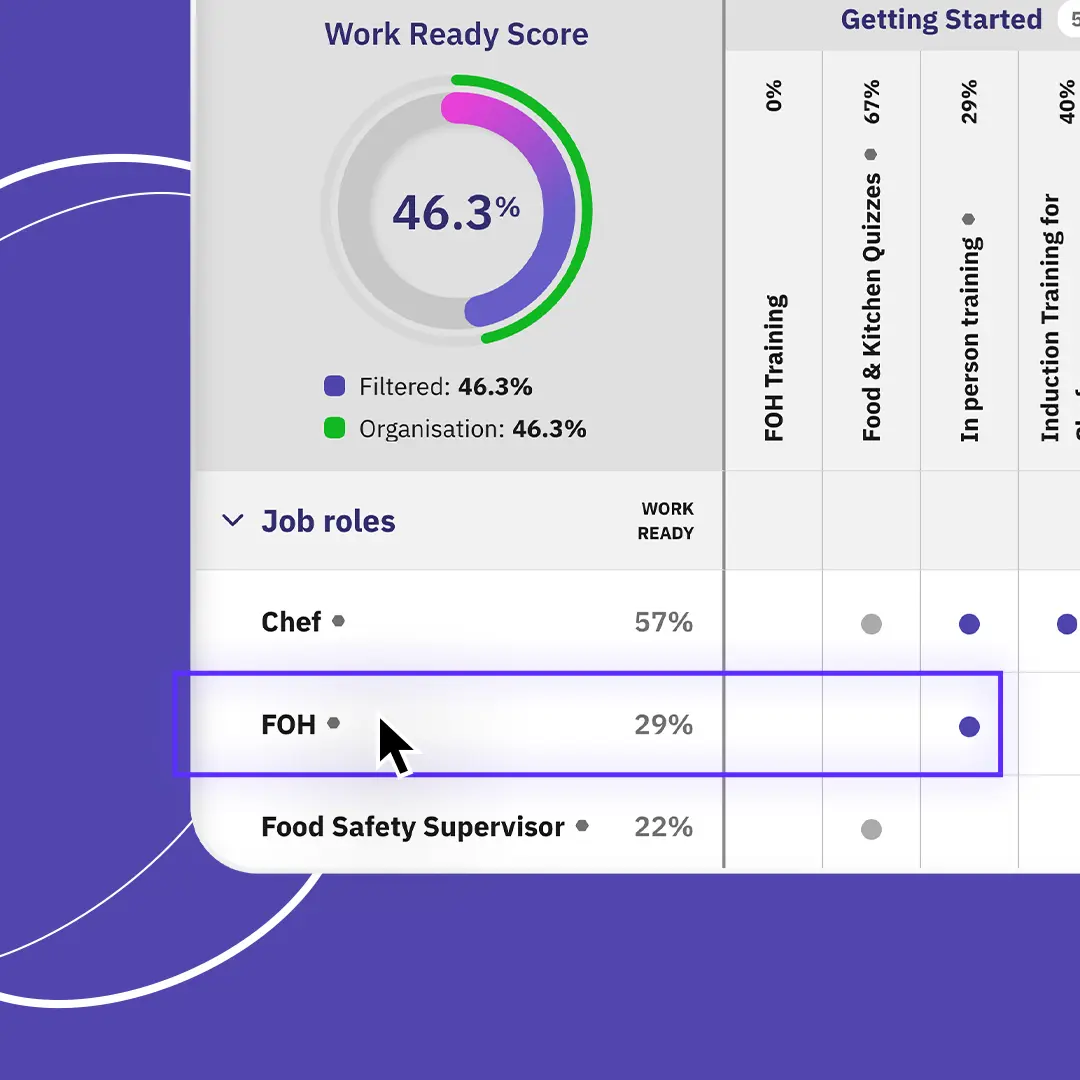
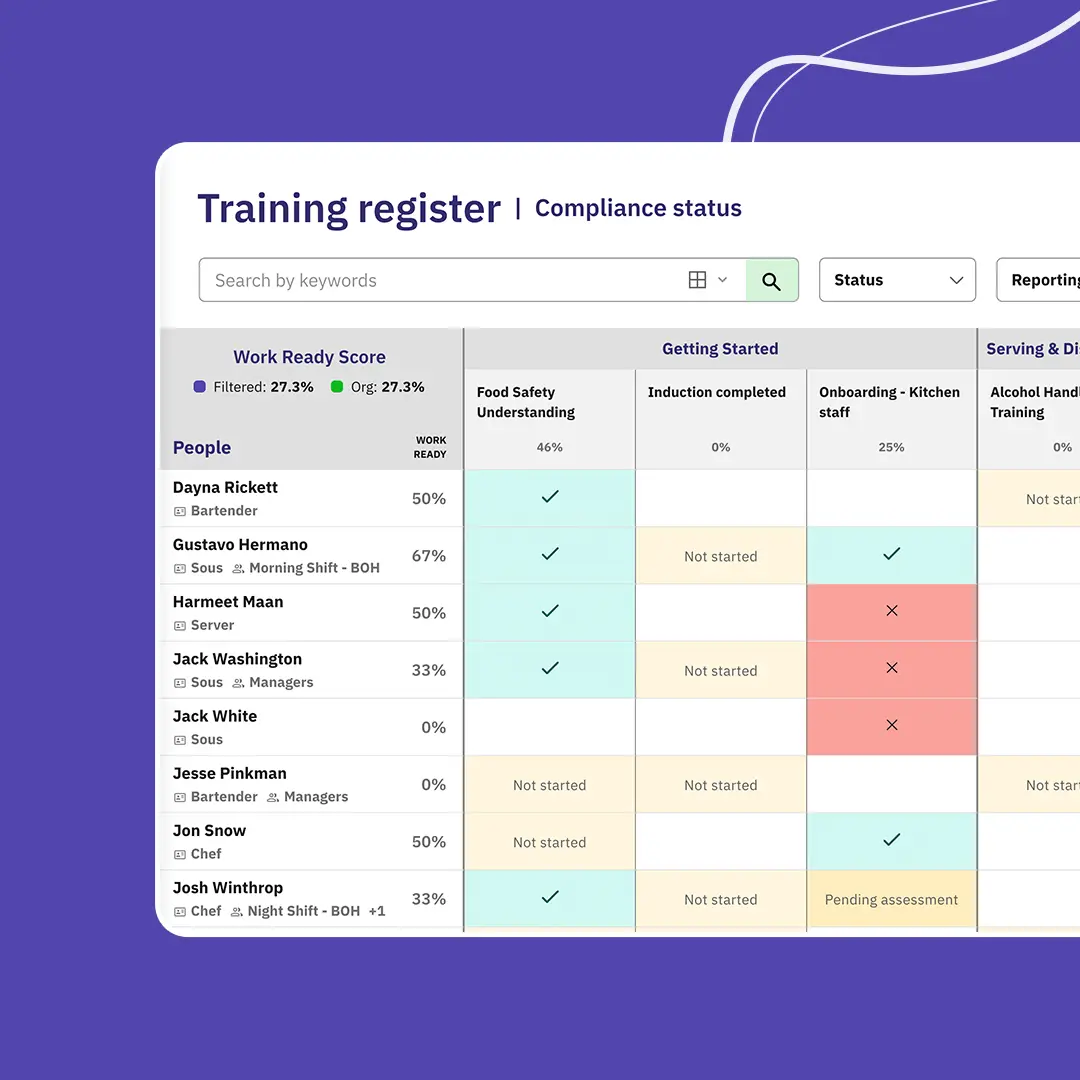
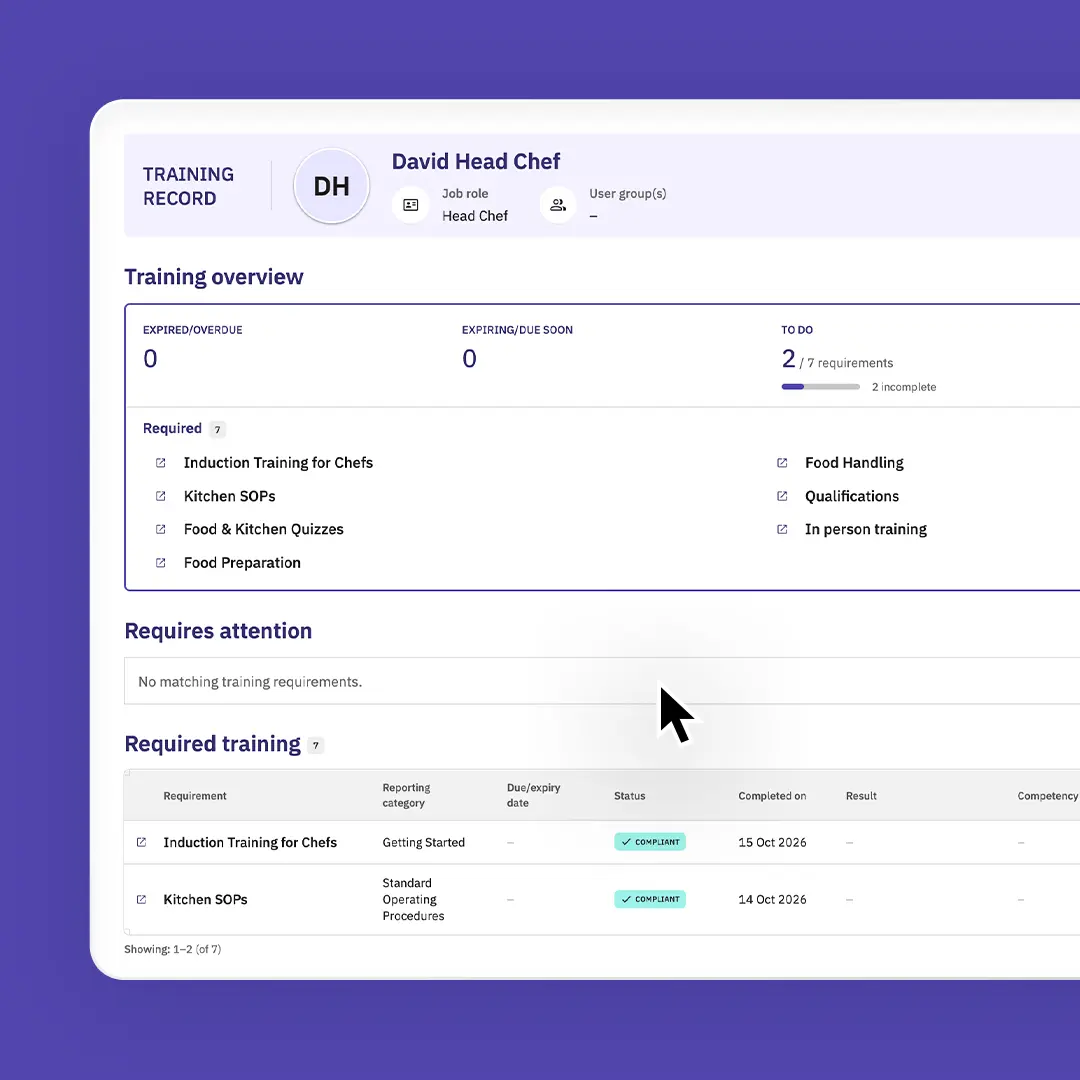
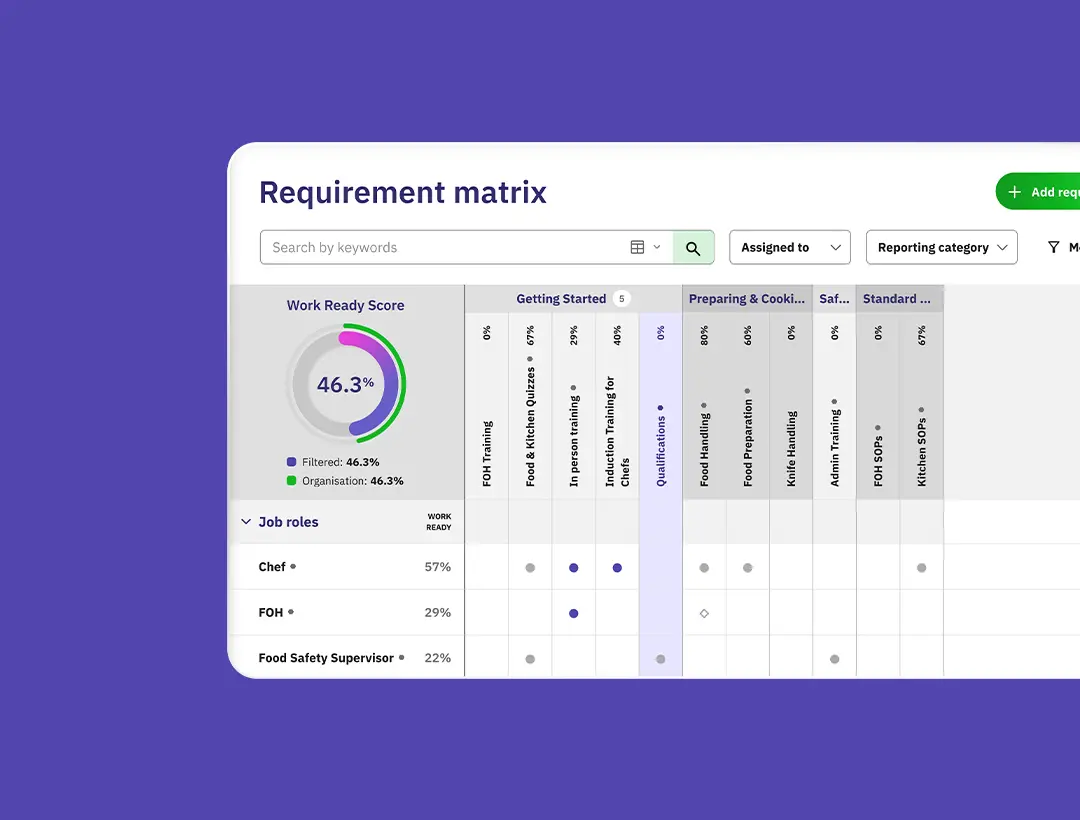
See at a glance who is ready and qualified to work. The Training Matrix shows which training is assigned to each person, while the Training Register tracks expiry dates, progress and competency levels. Every team member gets an automatic Work Ready score based on their requirements, so managers and supervisors can pick up food safety and compliance gaps before a shift begins.

Learn more about training
Training lifecycle

Automatic expiry tracking and simple renewals

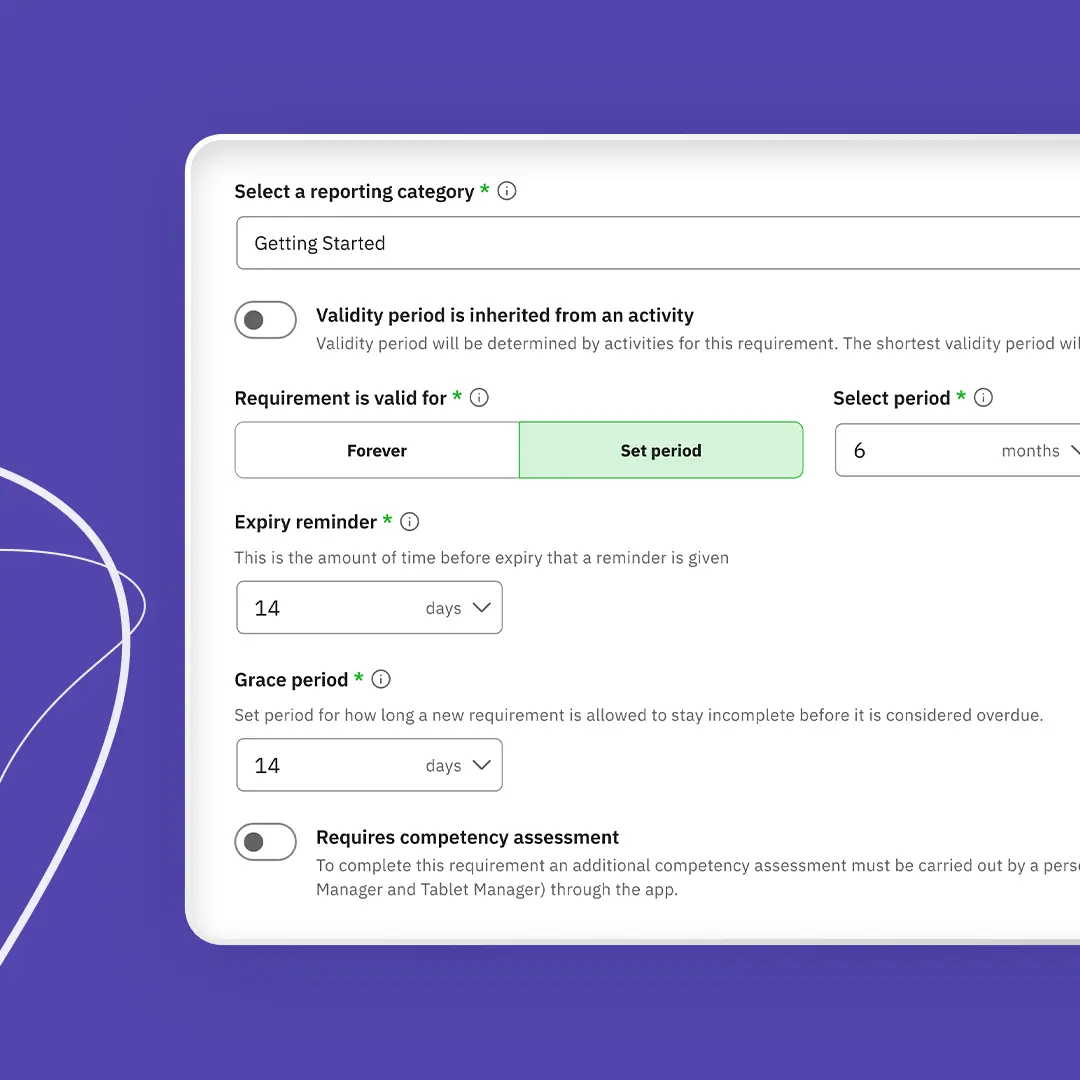
Stop expired training or certificates from holding up your rosters. Set each requirement to expire on a regular schedule, to never expire, or to follow the date on the qualification uploaded, such as a certificate's expiry date. Renewal reminders are emailed automatically before anything runs out, giving staff time to renew their food safety certifications. Valid proof carries over at renewal, so your team only updates what's changed or expired.

Learn more about training
Food safety training app

Mobile training your team can do before, during or after a shift

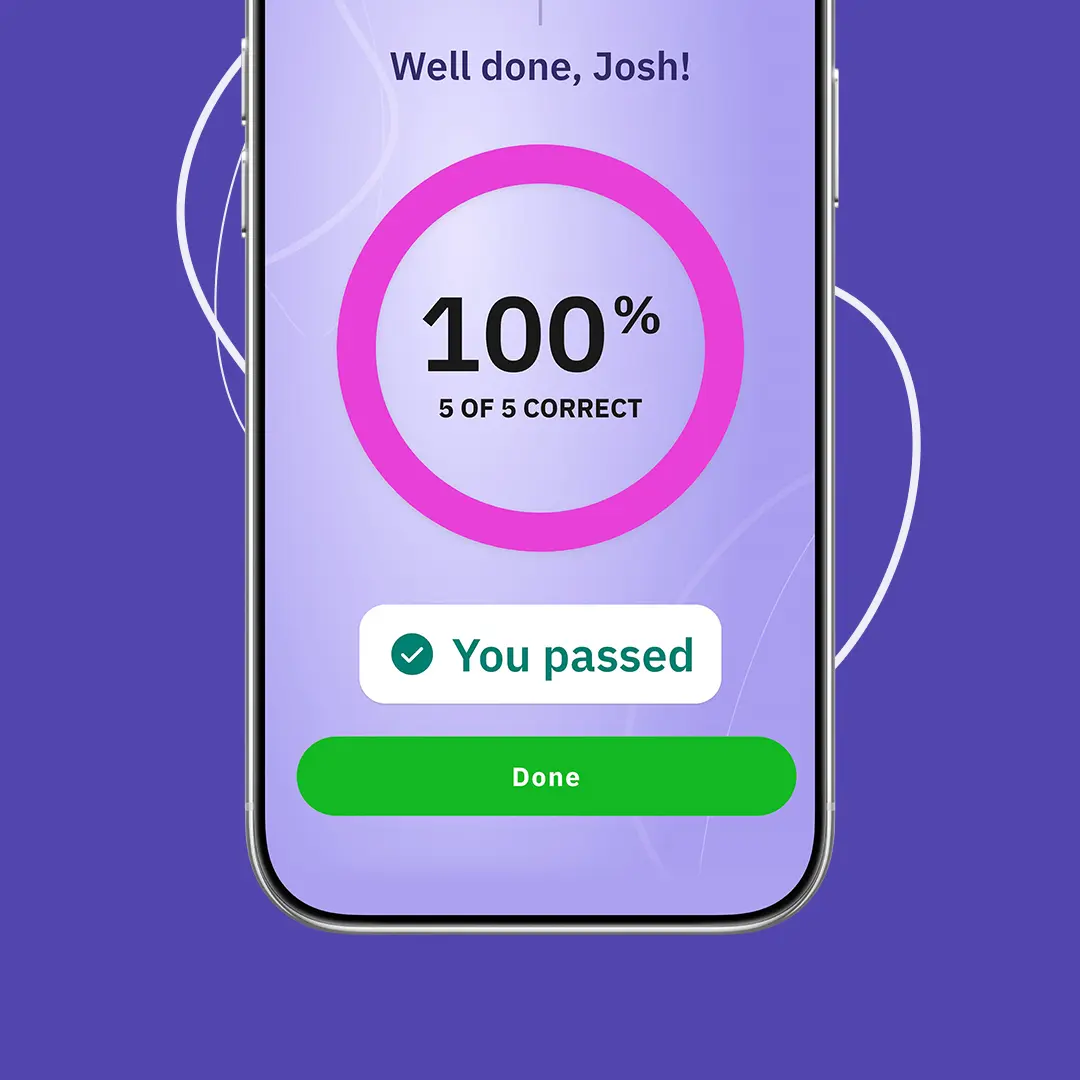
Staff can read resources, complete quizzes, sign policies, finish training and upload certificates straight from the Safe Food Pro app. In-app banners show what's still to do, and if evidence is rejected, they're shown how to resolve it. Supervisors can spot-check a team member's training and log activities and competency assessments as they happen. Running in-person training? Record attendance for up to 50 staff at once and with no sign-in sheets to manage afterwards.

Learn more about training
Training outside the app

Easy training access for casual staff and internal employees

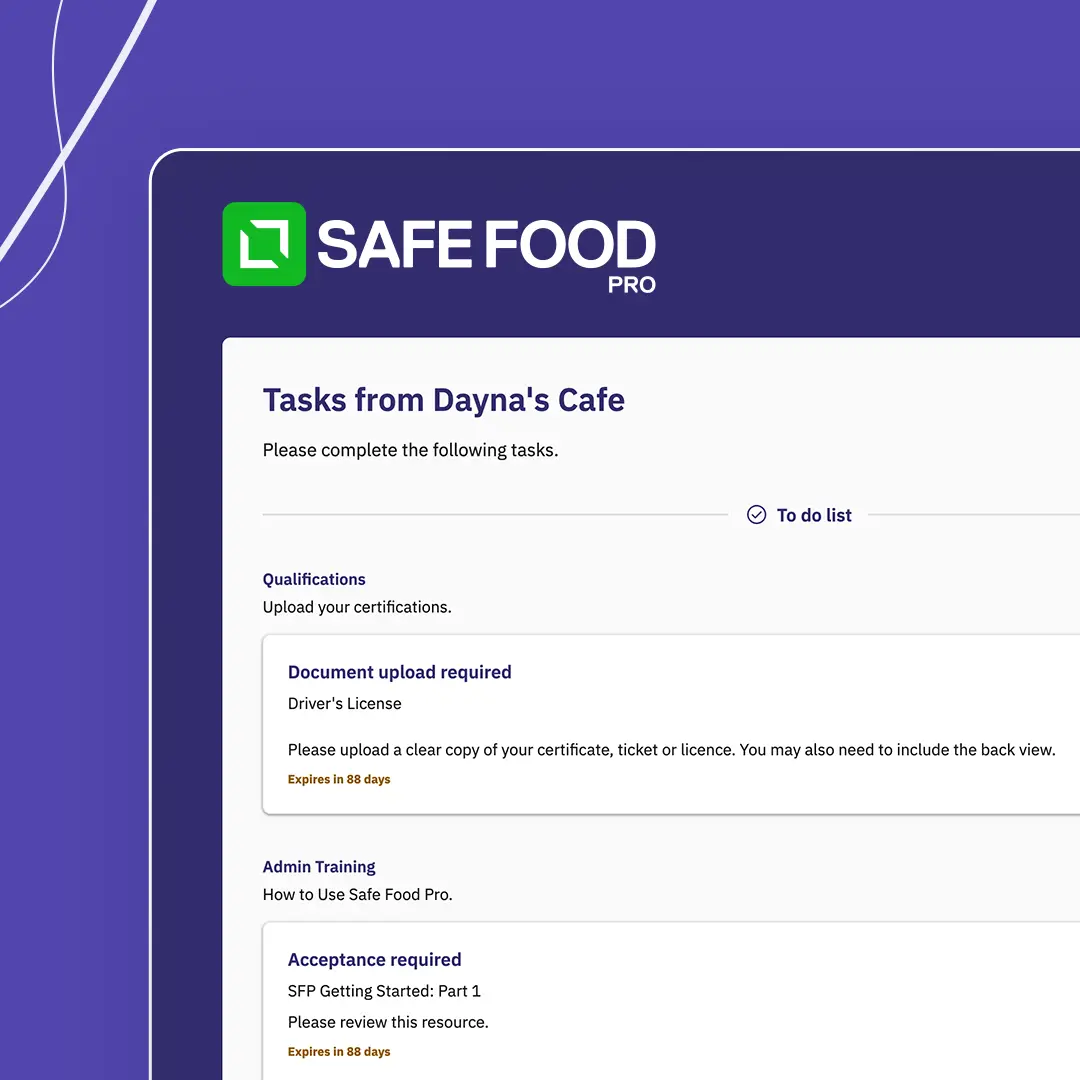
Not every team member needs the app, especially casual staff who only work occasional shifts. Train them without logins or downloads by sending a secure email link, valid for 90 days, that bundles their requirements with due dates, quizzes, booking links and instructions. If something they submit is rejected, automatic prompts help them fix it on their own. If they fail a quiz, they can try again after the stand-down period is over, with no need to send a new request.

Learn more about training
Training reports

Instant training reports and multi-venue controls

Give managers and head office a clear view of training compliance in seconds. Export a complete record for one staff member during a spot check, or a summary for your whole team, as a PDF or Excel file, then print it or keep it digital with secure links to the original evidence. Group admins can set and assign requirements, then keep track of compliance for every venue or business unit in one dashboard. And when a verifier or auditor asks to see staff training records, they're ready to share.

Learn more about training
Importing training records

Quick training record imports with Safe Food AI

Moving away from spreadsheets or another training system doesn't mean starting over. Import the training plans and requirements you already have, or bring across records from a spreadsheet or a file exported from your current system. Safe Food AI then does the heavy lifting, creating requirements from your records and matching them to the right staff, job roles and requirements, including completion and expiry dates. Got a folder of certificates? Upload them and Safe Food AI matches every certificate to the right team member, ready for your approval.

Learn more about training

Trusted by chefs and operations managers

“It is so refreshing talking to someone who is easy to get along with, not pushy, intuitive, and incredibly understanding of the hospitality industry and the struggles it faces.”

Trish

Trustpilot

“Finally, I have an app that will help me track and record my daily checklist of temperature readings, and equipment maintenance as well as accident or hazard reporting.”

Patrick

Trustpilot

“Switching to digital instead of paper has been a great move for our small restaurant. All the staff have embraced using the app, and the after sales support is excellent.

Lisa

Trustpilot

“Great easy to use digital food control plan. Easy to use, very intuitive and packed full of features.”

Jamie

Capterra

Super easy to use! The app is really easy to use and the support team are very helpful and also fast to get back to any queries! Great that you can customise it too.

Jacob

Trustpilot

"With Safe Food Pro, Lone Star was able to improve both internal auditing and external verification functions, dramatically reducing costs and improving outcomes as well as further streamlining kitchen food safety management."

Gerhard Zitzenbacher

Trustpilot

All Features.

Have confidence that your team is able to complete health and safety forms on job sites.

Safety quizzes

Check staff understanding of your food safety procedures, policies and SOPs.

Training forms

Record skills development, practical assessments and on-shift sign-offs.

Training tasks

Create, assign and track focused training for individuals or whole teams.

Staff profile

Each team member's complete history of training, certificates and food safety activity.

Resource library

Store SOPs, food safety procedures and policies for staff to refer back to.

Expiry tracking

Get automatic alerts before certificates, licences or training expire.

Certificate and licence management

Store each person's certificates and licences alongside venue-specific approvals.

Training matrix

Lay out training requirements by role to see where competency or training is missing.

Training register

Move between grid and record views to spot missing certificates, skill gaps and training that's due to expire.

External portal

Let casual staff and internal employees without the app submit their training and documents.

Work-ready score

Measure staff readiness instantly and spot compliance gaps before anyone is put at risk.

Import current training records

Use Safe Food AI to bring your existing training records into Safe Food Pro.

Job roles

Group staff by role so the right training requirements are applied automatically.

User groups

Group staff by shared duties, certifications, venues or shifts.

Approvals

Send completed forms to a manager for required sign-off.

Exempt people

Exempt staff from a training requirement, or complete it on their behalf.

Competency register

Keep verified staff skills, qualifications and licences together in one place.

Training report exports

Export filtered training views to PDF or a spreadsheet, with digital links to the evidence.

Export training register

Export the training register for your whole business or a single staff profile.

Food safety management software for New Zealand food and hospitality businesses.

  • New Zealand's own food control plan software
  • Free 14-day trial - no credit card required
  • Form upload in seconds
  • Onboarding wizard builds your food plan using MPI requirements
  • No setup or onboarding fees
  • Localised support
  • Food safety app
Book a demo

Frequently Asked Questions

Everything you need to know before getting started with Site App Pro. Can't find your answer? Get in touch with our team.

It brings staff training, competency assessments, certificates and policies together in your food safety app. You set what every team member has to learn, complete or upload, assign it to the staff who need it, and see straight away who's ready for their shift.

Almost any training your hospitality team needs, from food safety and allergen awareness to cleaning, chemical handling and inductions. Each requirement can mix policy sign-offs, online quizzes, in-person sessions, forms, document reviews, external courses and certificate uploads. A valid certificate a team member already holds can also meet the requirement by itself.

Requirements can be assigned to job roles, user groups, suppliers or individuals, and marked as critical, required or optional. If a team member moves to a new role or venue, the right training moves with them automatically.

The Training Matrix shows what's been assigned to each person, and the Training Register tracks progress, competency and expiry dates for everyone. Every team member has their own Work Ready score too, which flags gaps before they turn into a problem on shift.

Each requirement can run on a set schedule, never expire, or take its expiry date from the evidence uploaded. Reminder emails are sent ahead of the expiry date, and valid proof carries over at renewal, so staff only redo what needs updating.

Yes. Using the Safe Food Pro app, staff can take quizzes, sign policies, read resources, fill in forms and upload certificates. Supervisors can also log competency assessments and in-person sessions right where the training happens, for up to 50 team members at once.

Yes. Eligible staff are emailed a secure link that stays active for 90 days. Everything they still need to complete is shown together, with no account to create or app to download.

Yes. Upload your records from a spreadsheet or a file exported from your current training system, and they'll be linked to the right staff and requirements. Certificates can be uploaded in bulk too, with Safe Food AI pairing each one with the correct team member.

Yes. Every staff member's training record includes their requirements, certificates, quizzes, forms and tasks. Download it as a PDF, export it to Excel, email it or print a copy, and the PDF links securely to the original evidence.

Yes. Group admins can assign requirements to each venue and check training compliance across all of them in one dashboard, whether you run a single cafe or a multi-site group.

Staff training and competency records sit in the same app as your food safety records, so you can show who has been trained, on what and when, whenever a verifier or auditor asks.

Yes. Set requirements by job role or user group, so kitchen, bar and front-of-house staff each get the training that fits their work.

Yes, using Safe Food Pro’s Training Management Module is an additional cost per pack. Please see our pricing page.